
Getting started
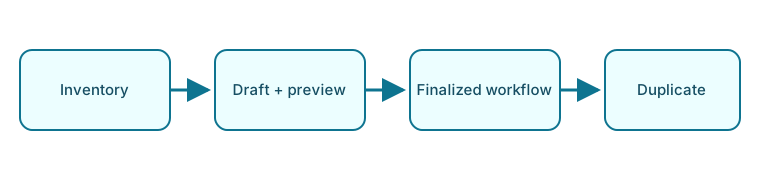
ezPrint turns printer ownership, component wear, material use, electricity, and print duration into a single reproducible total. The normal workflow is deliberately ordered: configure the instance, create reusable inventory, calculate a draft, and complete it only when the inputs are final.
Recommended first workflow
- Complete first-run setup to create the local operator account, calculation defaults, and select optional features.
- Add a printer, its compatible build plate and hotend, and at least one filament. A customer is optional.
- Open Prints, choose New, and follow the four-step print workflow.
- Review the live cost breakdown, save the record as a draft, and select Complete when the inputs are final.
- Use the dashboard to monitor active drafts and completed-print costs.
Application map
| Page | Purpose | Main functions |
|---|---|---|
| Dashboard | Current operational summary | Period filter, KPI links, charts, unfinished prints, new-print shortcut |
| Prints | All calculation records | Search, status filter, archived filter, create, open, edit, complete, duplicate |
| Customers | Optional job ownership | Create, search, edit, archive, restore, delete |
| Printers | Machine cost and power | Maintain purchase price, lifetime, average power, and notes |
| Components | Wear parts and compatibility | Define type, cost, lifetime, and compatible printers |
| Filaments | Material cost | Maintain spool price, net weight, material, color, and notes |
| Settings | Instance and display preferences | Language, appearance, feature modules, currency, and electricity rate |
The global header, keyboard shortcuts, user menu, version indicator, and search are described under Navigation and search.