
Exports and cost reports
Use Export completed CSV above the print list. The export applies the same search, dates, customer, printer, series, outcome, and archive filters, then restricts the results to Done. Selecting an incompatible workflow status produces a header-only file. Exports are limited to 5,000 rows: narrow the date range for larger collections. The server reads batches of 100 inside one database transaction and sends one bounded download.
CSV uses UTF-8, a comma delimiter, CRLF records, stable English identifiers, ISO dates, integer seconds, and canonical decimal strings. Text cells that could start spreadsheet formulas receive a leading apostrophe. Missing outcomes and sales remain blank; zero is a known value. Spool codes are joined with semicolons inside a quoted cell. Costs use stored snapshots, so changing current inventory prices does not recalculate an exported print.
PDF cost reports
Open a done print, choose Cost report, then Print / Save as PDF. Select your browser's PDF destination, A4 paper, and disable browser headers and footers. The document title supplies a sanitized print name and completion date for the suggested filename; the browser ultimately controls the filename. No generated file is stored on the server.
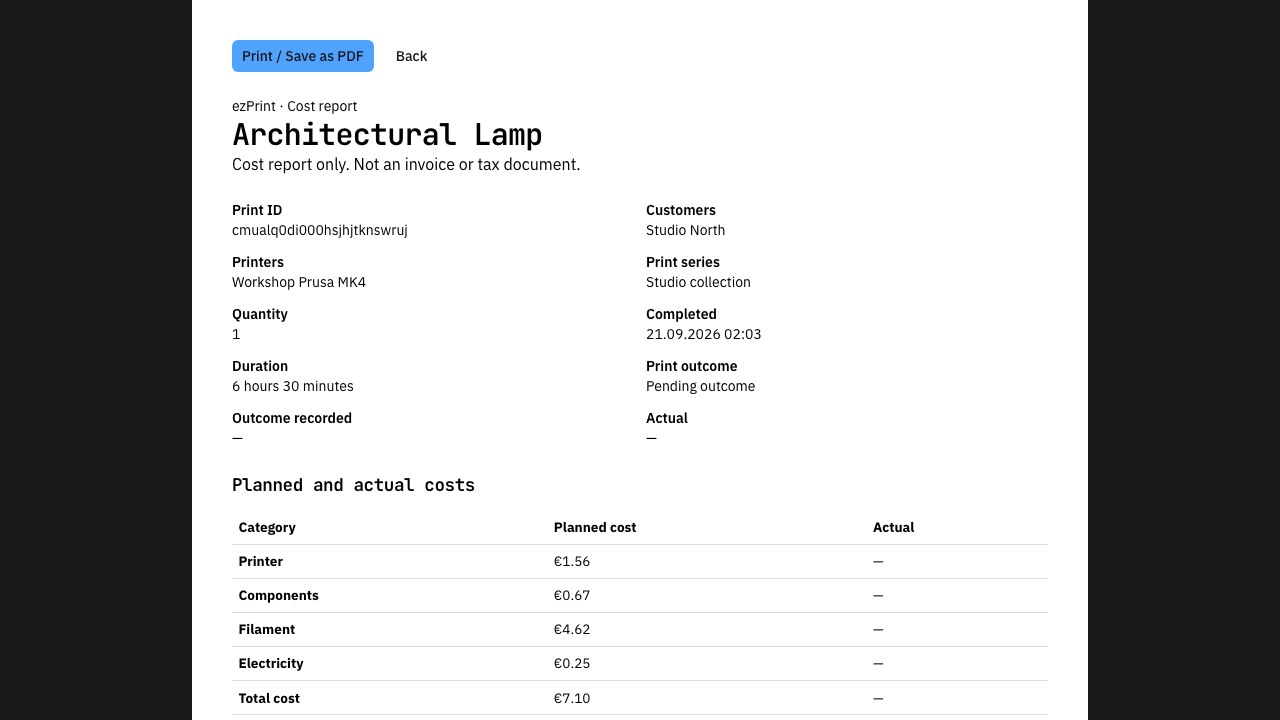
The report follows the active German or English application locale and instance currency. It includes stored printer and component rates, filament quantities and spool codes, planned and actual totals, outcome details, and optional sales and margin. Currency display is rounded for readability; CSV retains exact decimals. This is a cost report, not an invoice, offer, receipt, or tax document. Archived done prints remain reportable from their detail page. Both export endpoints require authentication. Downloaded files may contain customer names, notes, and commercially sensitive prices; share them deliberately.
For multipart prints, the printer column lists every part's frozen printer name. The parts column contains a JSON array of per-part printer, build plate, planned duration, and cost. Parent totals and quantity still appear only once. The PDF report includes separate source tables for every part.