
Spool inventory
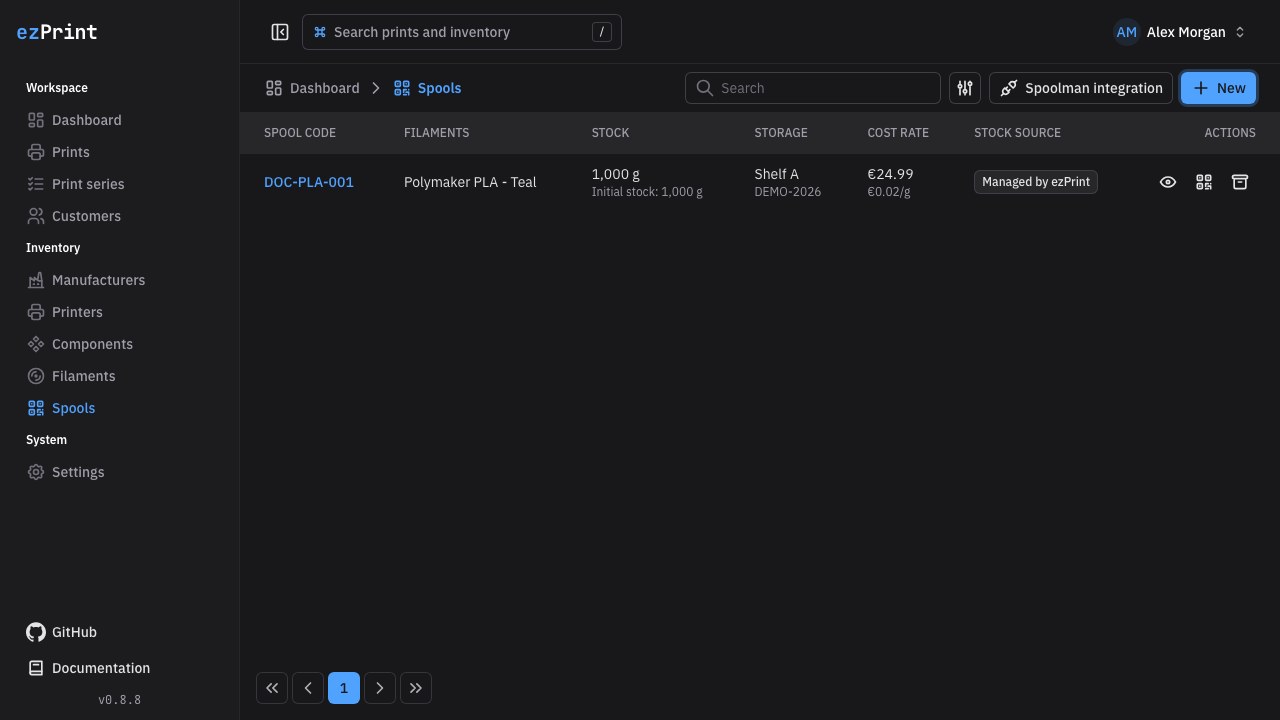
Filaments describe products; spools identify physical stock. Open Spools to search by code, filament, or location and page through active inventory. Use Table options to include archived entries. The table combines current and initial balances, storage data, pricing, stock ownership, synchronization warnings, and contextual actions. Open a spool, print its QR label, or archive and restore it directly from the row.
Each spool has a stable code, purchase lot, location, acquisition date, purchase price, and initial net weight. New opens a focused creation dialog. Referenced spools can be archived, never deleted. Code, filament identity, and initial net weight remain fixed; use Edit for purchasing and storage metadata and a correction for a measured balance change.
Spool management can be disabled under Settings → Features. Its pages and APIs then become unavailable while existing inventory remains stored. New prints use the filament's price and net weight without stock movements until the feature is re-enabled.
When spool management is enabled, creating a filament also creates its initial spool using the entered price and net weight. Filaments created while it is disabled receive an opening spool from their current catalog values when management is enabled later. Add further spools for later purchases or different prices. Upgrades create a clearly marked legacy spool for each existing active filament. Verify its physical weight: the imported opening balance uses the catalog's nominal weight and does not infer historical consumption. Existing completed prints retain their original snapshots and do not acquire guessed spool references.
Receipts, corrections, and low stock
The detail page first summarizes the spool balance, filament-wide balance, purchase price, unit rate, storage data, ownership, and warnings. Separate cards manage the filament-wide minimum, manual movements, Spoolman synchronization, and the append-only movement history.
Every balance is derived from an append-only ledger. Receipt adds positive grams; Correction records a signed change and a required note. Enter the difference, not the desired final balance: changing 500 g to 450 g requires -50. Retrying a saved operation never books it twice. Manual stock values allow up to 12 whole digits and six fractional digits. Use a new spool for a purchase with a different unit price.
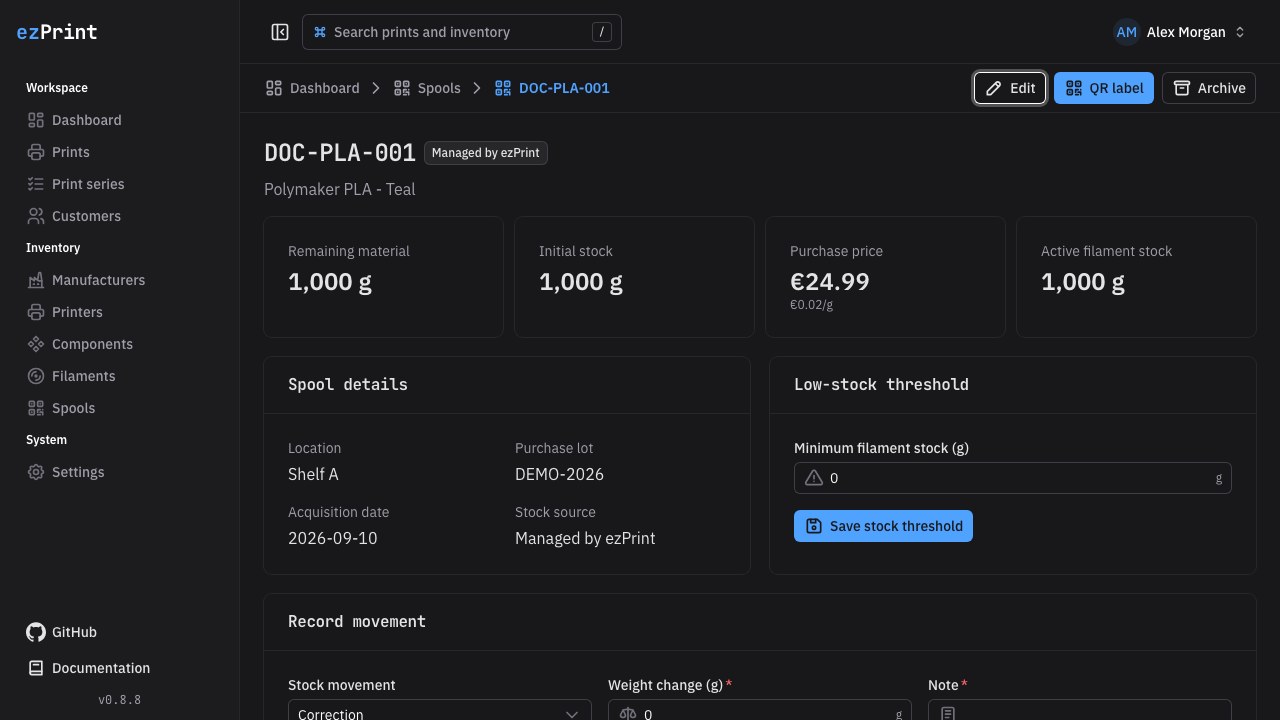
The filament minimum applies to the combined balance of its active spools. Negative balances remain visible and reduce that total. The dashboard warns below the threshold. Archived spools are excluded from stock totals and cannot receive manual movements.
Print usage
Each draft filament line selects a spool. A sole active spool is selected automatically; ambiguous choices require selection. Empty, negative, or archived spools cannot enter new calculations. Two spools of the same filament can appear in one run. Unit price is the selected spool's purchase price divided by its initial net weight. The finalized print preserves spool identity and rates.
Recording a result deducts actual grams in the same transaction as the outcome. A failed print can still consume material. Negative balances are retained rather than rejecting factual consumption. Correct actual usage records a new outcome revision, requires a note, and books only the usage difference. Previous costs remain available in the original/recent revision history. Stale concurrent corrections are rejected; reload before trying again. Stock movements link back to the print, including after archival.
QR labels
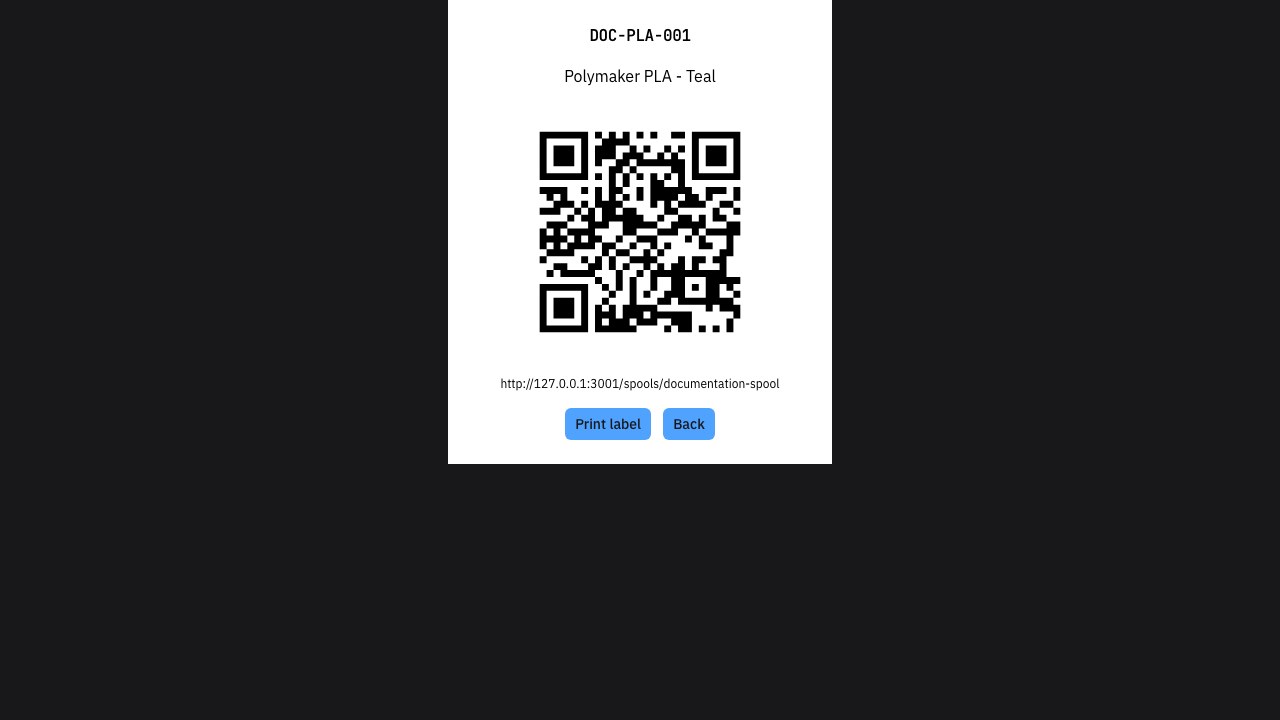
Use QR label and Print label for a plain label that opens the authenticated local spool page. The QR contains only the instance URL and stable spool ID, without credentials. Preserve the public request host and forwarded protocol when using a reverse proxy, and print labels from the hostname reachable by the scanning device. A phone cannot reach another computer through localhost.
Spoolman and printer integrations use explicit external IDs and stock ownership; native stock never assumes that another system has already deducted material. Keep integrations disabled until their ownership mode is configured under Settings → Features.