
Spoolman and Bambuddy
Spoolman requires spool management under Settings → Features. Turning spool management off disables the integration without clearing its URL or authorization value; it is not automatically re-enabled later. Bambuddy remains available without spool management, but tray-to-spool mapping is hidden and rejected by the API until inventory is enabled again.
Both integrations are optional features. Open Settings → Features to enable each service. Enabling one adds a dedicated Settings → Spoolman or Settings → Bambuddy tab for its server URL, credentials, and operational tools. Each feature card links directly to its relevant documentation section. Changes apply without a restart. Credentials are sent once, stored server-side, and never returned to the browser, exports, or error messages. Protect the SQLite database and its backups because they contain stored credentials.
An administrator must choose a trusted HTTP or HTTPS origin, optionally with a base path. URL user information, query strings, fragments, and redirects are rejected. Private container-network hosts and LAN addresses are supported. Permit network access only to the intended services. Do not repoint an existing connection to an unrelated database with reused numeric IDs: unlink and reconcile its records first.
Environment variables remain supported as backward-compatible defaults for existing deployments. When present, their integrations appear enabled until an administrator saves an explicit configuration in Settings:
SPOOLMAN_URL=http://spoolman:7912
SPOOLMAN_AUTHORIZATION=Bearer YOUR_REVERSE_PROXY_TOKEN
BAMBUBUDDY_URL=http://bambubuddy:8000
BAMBUBUDDY_API_KEY=YOUR_READ_ONLY_API_KEY
The Spoolman authorization header is optional for a reverse proxy. Give Bambuddy's key read access to printers, archives/print logs, and inventory assignments. ezPrint never sends printer-control, queue-scheduling, camera, or file-upload requests. Each request has a three-second timeout and a two-megabyte response bound. Metadata is polled every minute in bounded batches; large inventories may need several cycles. Manual workflows use cached prices during outages. After five minutes without a successful refresh, linked inventory shows a stale warning.
Spoolman import and ownership
Open Settings → Spoolman → Spoolman inventory → Load import preview. The preview shows remote IDs, local links, unknown or changed balances, and archived or incomplete records. Confirm import only after reviewing it. Changed remote data requires another preview. Pages contain at most 50 remote spools. Imports create or reuse vendors, filaments, and spools by their immutable external IDs, never by names. Repeating an import keeps local IDs. Remote vendor, price, and positive initial weight are required; fix missing values in Spoolman before importing. Initial weights remain the local spool's pricing basis after import; create a new physical spool if that basis was wrong.
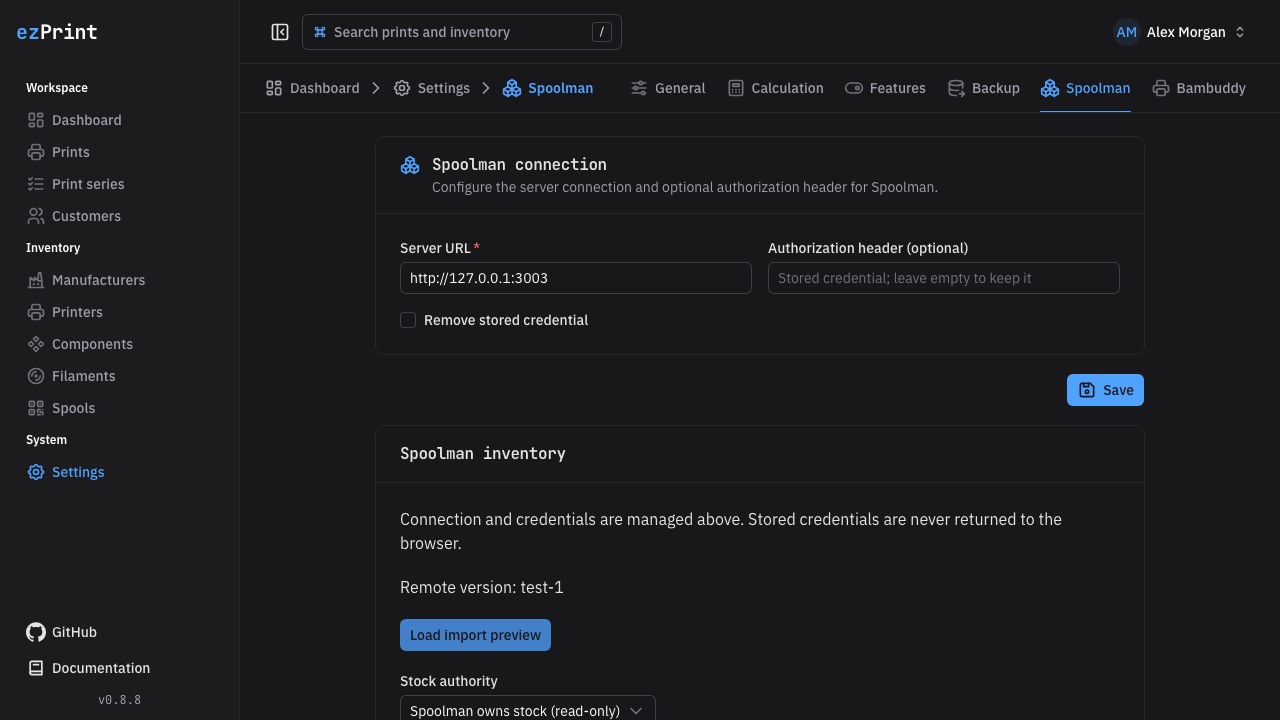
Spoolman owns stock (read-only) is the default. ezPrint mirrors remaining weight and records print outcomes without stock deductions. Receipts, manual corrections, and local pricing edits are disabled for linked stock. Negative weights remain negative; unknown weights stay unknown. Remote deletions and archival are shown explicitly and prevent new selection without deleting historical references. A temporary outage retains cached data.
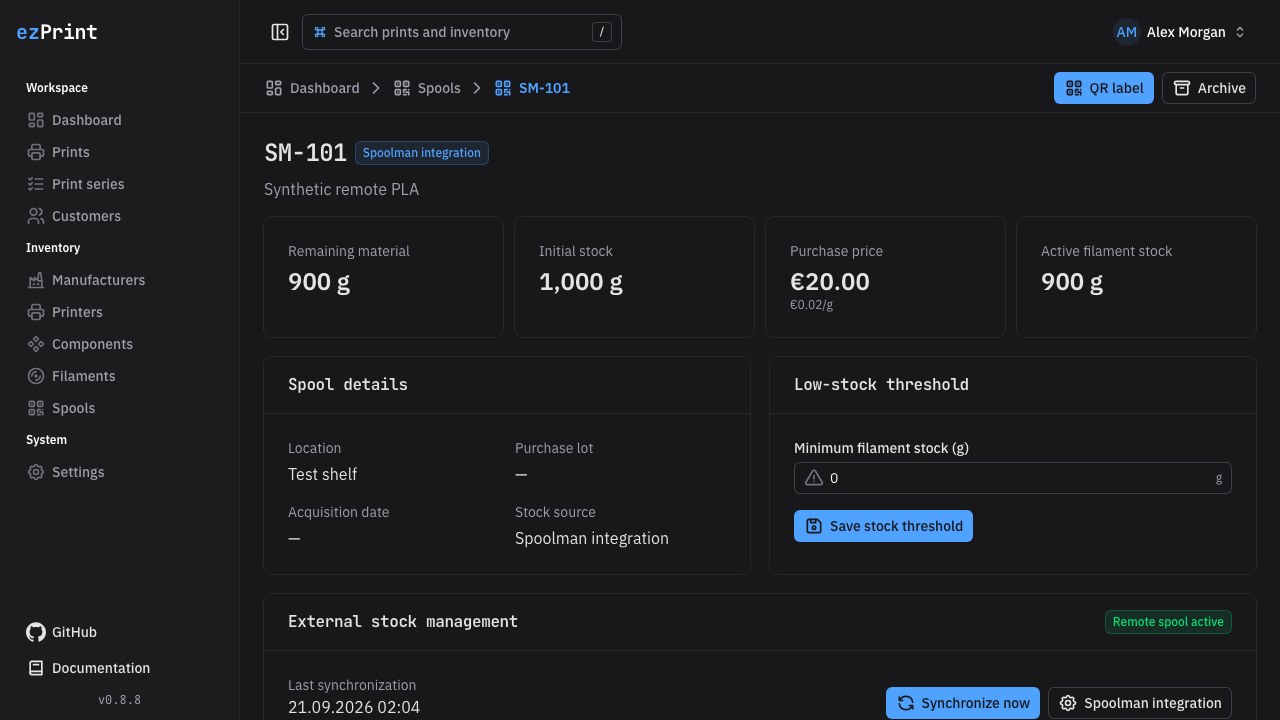
ezPrint submits consumption to Spoolman is an explicit opt-in for installations where no other service deducts these prints. Outcomes create durable pending operations in their database transaction; the worker sends at most five per cycle. Successful requests become applied. Corrections submit only the difference. Spoolman's additive usage endpoint has no idempotency key, so ezPrint marks the request uncertain before sending and never automatically retries an uncertain request after a timeout or restart. Check Spoolman's usage history, then confirm already applied or not applied; allow retry. Rejected requests require fixing the remote cause and the same explicit reconciliation. A mode change or unlink is blocked while operations remain unresolved.
Unlinking requires a measured opening balance and explicit native ownership. It appends a reconciliation movement and retains IDs, history, and print references. Existing linked filament/vendor IDs remain reserved, preventing accidental duplicate imports. Current remote numeric quantities reflect the precision supplied by the remote API; ezPrint calculations and native ledger values remain canonical decimal strings.
Bambuddy printer and print links
Open Settings → Bambuddy → Bambuddy printers and results to review the detected remote printers, including installations without local printer master data. Choose the local printer and the remote printer ID, then save the link. Printer names may change without breaking identity. The section shows cached live state, AMS slots, and external trays. Shared Spoolman IDs take priority; otherwise select an explicit local spool for the slot. Local printer and spool selectors search on the server and load more results on demand; their plus buttons create missing records. The remote printer selector searches the supplied remote list. Conflicting mappings and unavailable spools require operator review. Mappings propose context only: select the verified physical spool in the print draft. Slot changes never rewrite completed usage lines. Remote printer lists are bounded to 500.
From a print, open Bambuddy result to jump directly to the Bambuddy tools in Settings, then choose a print log separately for each part. Each picker uses that part's printer. Attach the exact run's stable print-log ID. A log can belong to only one local part; repeat orders require a new remote run. The picker pages through 50 records. Refreshing an attached job searches at most the latest 1,000 records for its printer; older missing entries retain their cached data and require manual reconciliation. Archive files can represent repeated runs, so ezPrint deliberately uses individual print-log records.
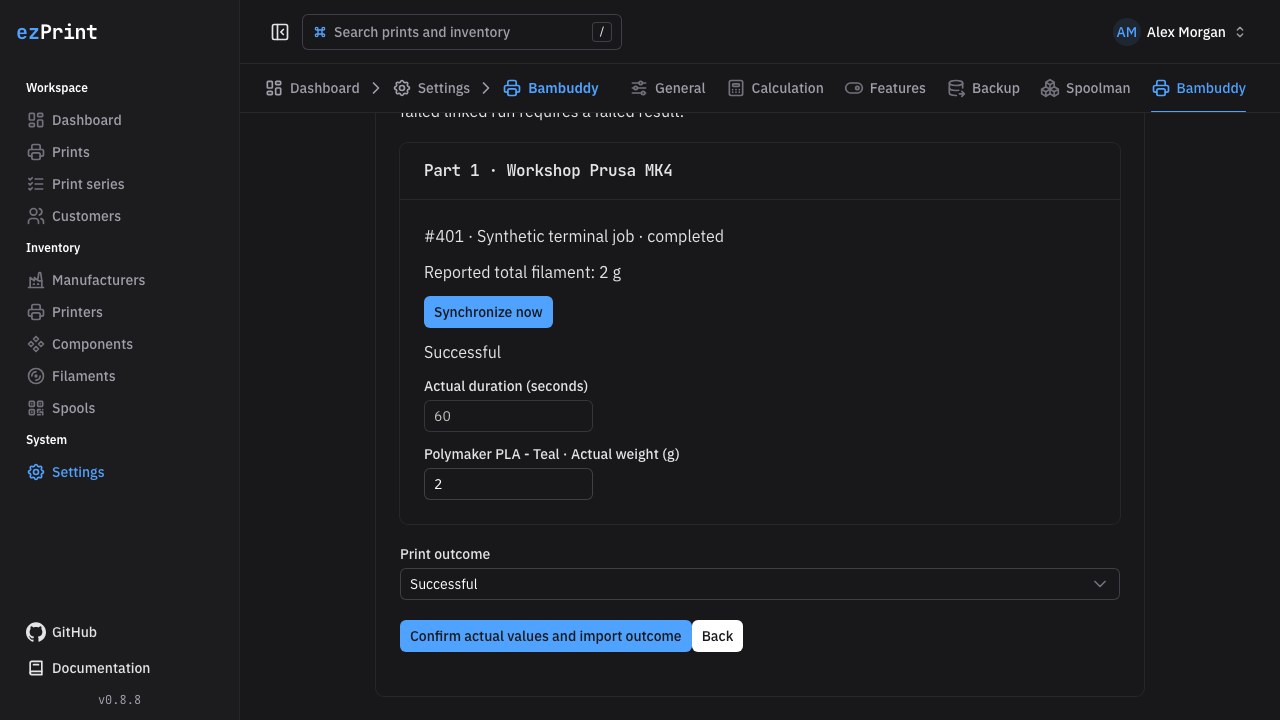
Only completed or failed records with a valid completion timestamp provide a proposed outcome. Live IDLE, running, paused, disconnected, cancelled, stopped, and skipped states never complete a local print. Complete the local workflow to Done, review the preview, and confirm the outcome. Available duration and total grams must match the remote record. If duration is absent, enter it; if multiple filament lines exist, distribute the reported total explicitly. Missing values are never fabricated. Polling refreshes the preview; it does not accept an unreviewed result.
Native spools receive one outcome-linked deduction. For Spoolman-owned spools, imported parts create neither a native deduction nor an outbound Spoolman operation, including corrections. Unlinked parts entered manually follow their normal stock ownership rules, even when other parts of the same print are imported. Review ownership before manually recording a result already tracked elsewhere. Imported outcomes are idempotent across retries and restarts. Later changes to an imported remote record do not rewrite its historical snapshot; use the local outcome-correction workflow.
Multipart results
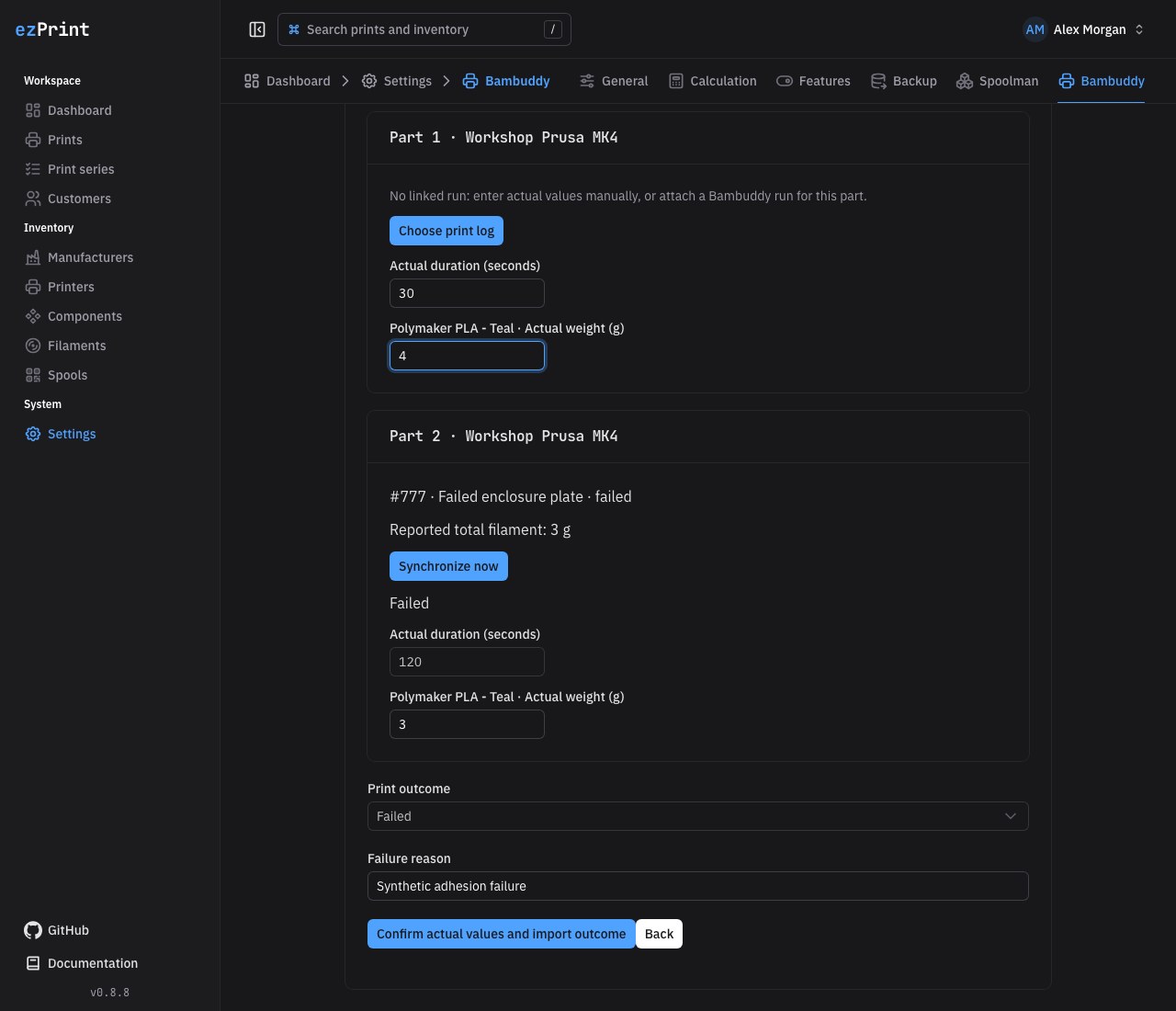
Each part has its own remote link, preview, duration, and material allocation. Leave a part unlinked to enter its actual values manually. Review all parts, then confirm one shared outcome. A failed linked run requires a Failed outcome and a reason. A changed preview, incomplete run, or invalid part prevents the entire import; there are no partial outcome or stock bookings. Linked parts cannot be removed or moved to another printer. Repeat and retry create new parts without reusing the remote links.
Troubleshooting and supported contracts
A missing version, offline warning, or incompatible-response error means the service is unreachable, credentials lack permissions, or its API differs. Check the integration configuration in Settings and remote permissions without copying secrets into issue reports. Refresh a preview after resolving conflicts. Remote errors are intentionally summarized; inspect the remote service's logs directly if more detail is needed.
The adapter uses Spoolman's v1 API, including info, paginated spool, and PUT spool/:id/use. Bambuddy uses its HTTP API, specifically printers, printer status, print-log, updates/version, and optional Spoolman inventory slot assignments. Unsupported payload shapes fail closed; manual ezPrint workflows remain available. Application controls are translated into English and German; repository documentation follows the project's US English convention.