Customers
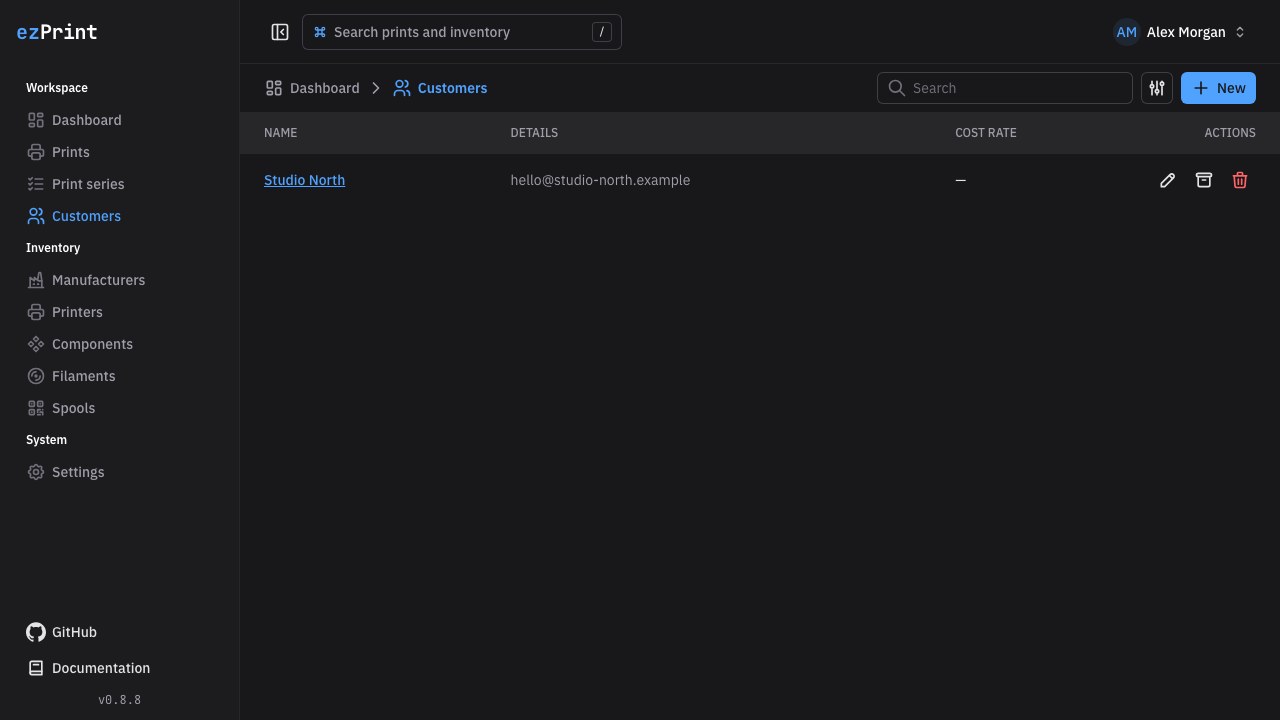
Customers at /customers are optional references that help identify who a print belongs to. A print can always be created without a customer.
Fields
| Field | Requirement | Use |
|---|---|---|
| Name | Required | Primary label in tables, selectors, dashboard drafts, and search |
| Optional, valid email when provided | Contact context and searchable detail | |
| Exclude from dashboard | Optional, disabled by default | Omits assigned prints from dashboard metrics, charts, and work lists |
| Note | Optional | Internal context shown when editing the customer |
Page functions
- Search filters by customer name and email.
- New or Shift+N opens the create dialog.
- Edit opens the same fields with saved values; save to replace the editable data.
- Exclude from dashboard hides every print assigned to the customer from dashboard reporting and unfinished prints. It does not change print data, customer history, or other lists.
- Archive removes the customer from new-print selectors but keeps it linked to existing prints.
- Table options → Show archived reveals archived customers; Restore makes one active again.
- Delete permanently removes only an unreferenced customer after confirmation. Archive referenced customers.
The Cost rate column is intentionally empty for customers because they do not contribute to a calculation.
Customer detail and print history
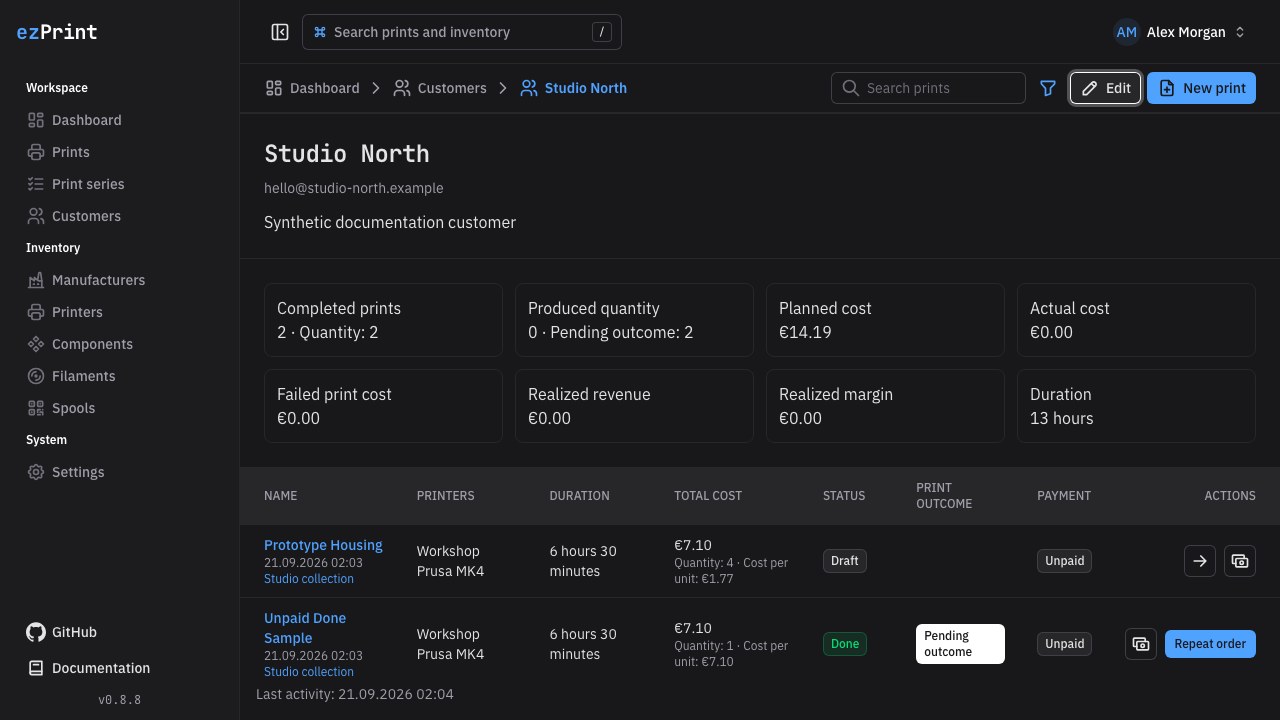
Open a customer name to see its contact details, matching totals, and print history. The detail toolbar keeps the breadcrumb, Edit, and New print actions together. Editing opens the customer dialog without leaving the detail page; a new print starts with that customer selected.
The history uses the same columns and Query Kit filtering as the main Prints page. Search by print, customer, or printer text and combine status, outcome, printer, optional series, archive state, and activity-date filters with AND or OR. The customer itself remains a mandatory scope and is therefore not offered as a history filter.